Cart Capture for NetSuite
Indirect spend management for NetSuite
Your main suppliers might be on punchout, but the rest of your indirect spend still ends up on company cards and expense reports.
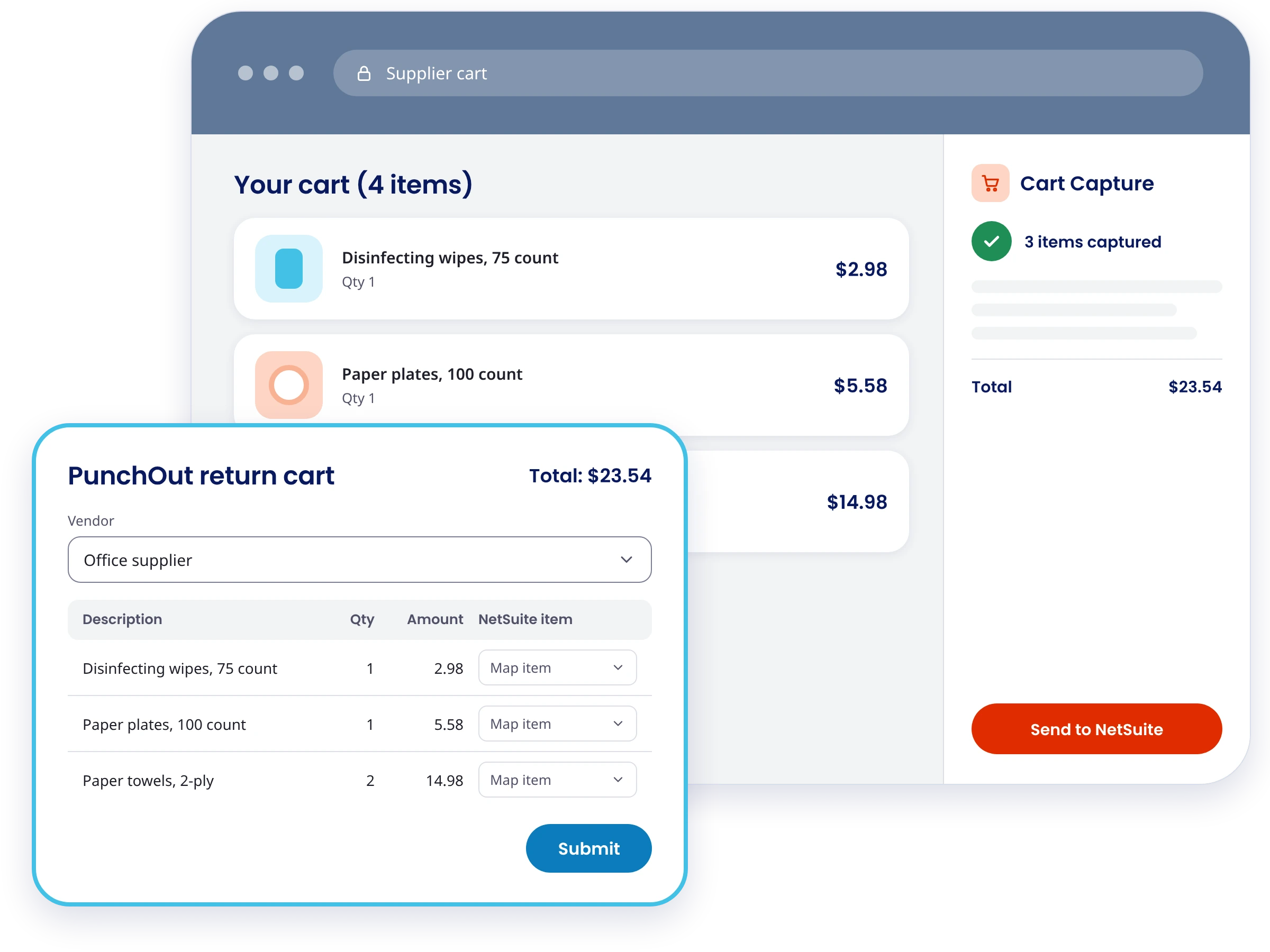
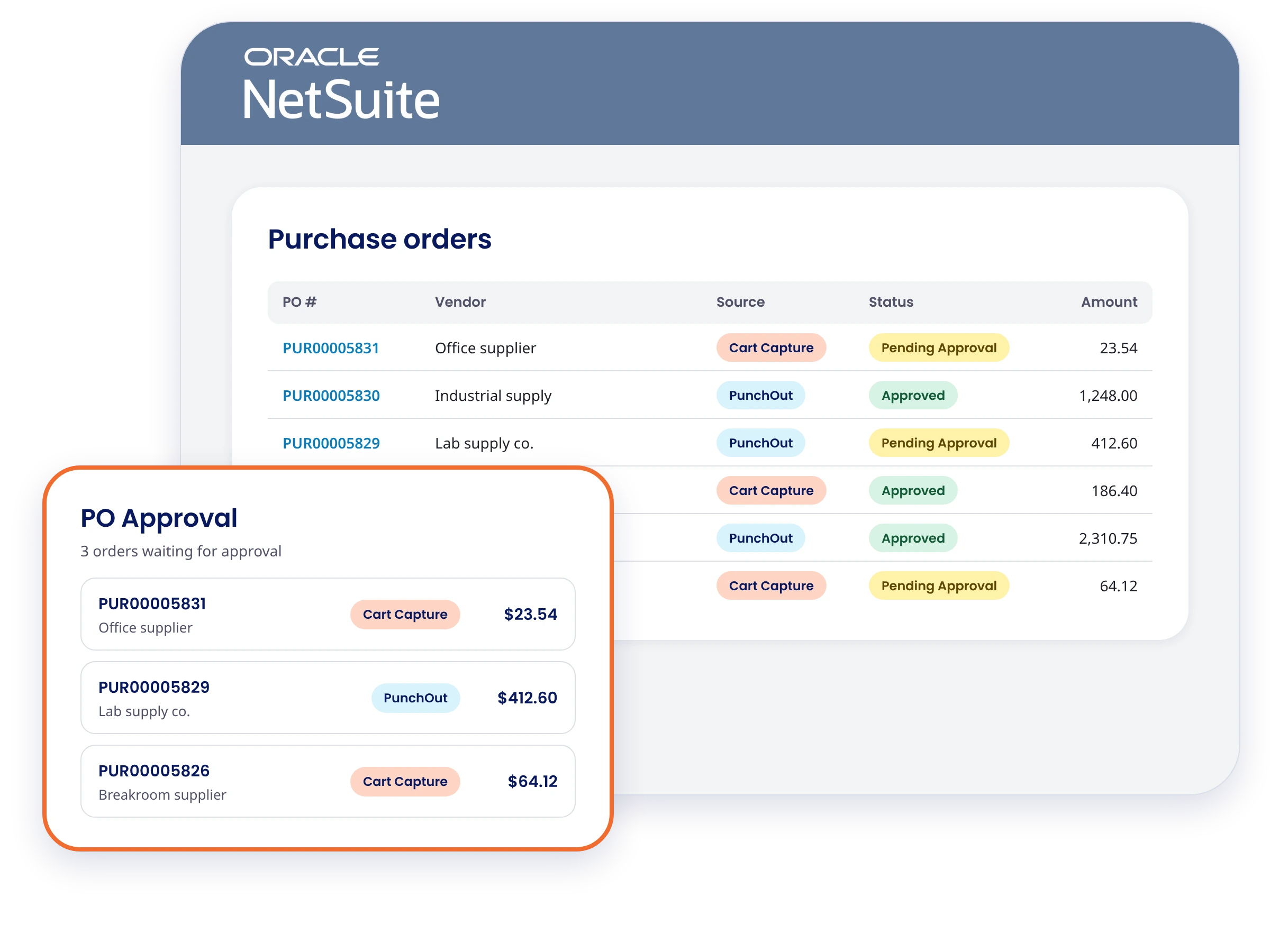
Cart Capture is a Chrome extension from Netgain that turns a shopping cart on a supplier's website into a NetSuite purchase order, with no supplier integration required. Buyers shop the way they already do and send the cart to NetSuite with the supplier's part numbers and prices filled in. The PO goes through your approval workflow before anyone places the order.











Common indirect spend challenges
Office supplies, lab consumables, tools, and facilities parts get bought in small orders from dozens of suppliers. Most of those suppliers don't offer punchout, so the purchases go around the PO process. These challenges show up in a few ways.
The benefits of Cart Capture
Cart Capture works inside the NetSuite purchasing process your team already runs. Buyers keep shopping on the supplier sites they know, and your approvers keep approving POs in NetSuite. Nothing about the supplier side has to change.
Every supplier on a PO
Put the long tail of suppliers and one-off purchases on a purchase order, not only the suppliers big enough to integrate. Buyers get an approved way to order from the suppliers that used to go straight on a card.
No supplier setup
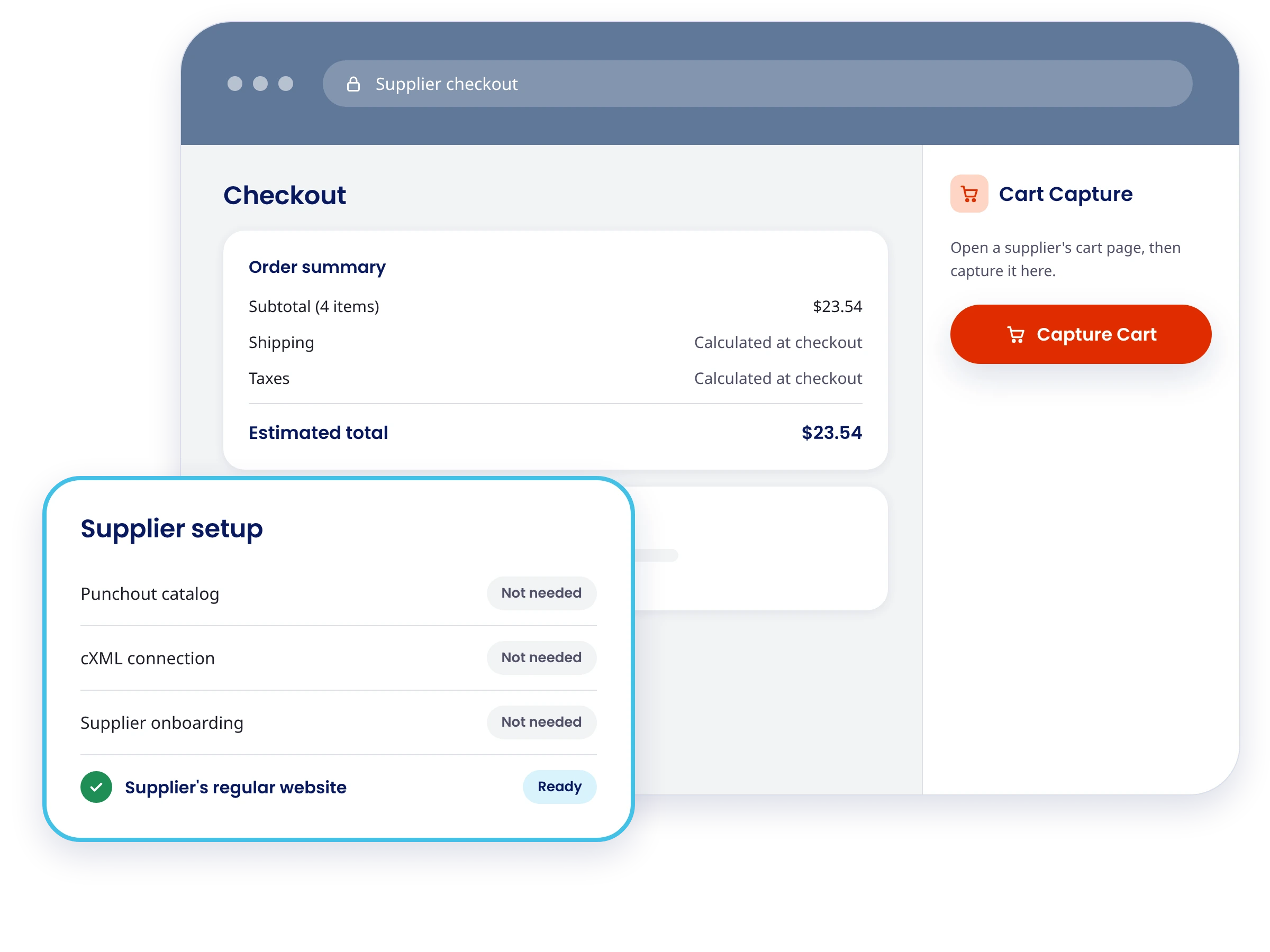
Cart Capture works on the supplier's regular website. There's no punchout catalog, cXML connection, or supplier onboarding to wait on.
No retyping carts
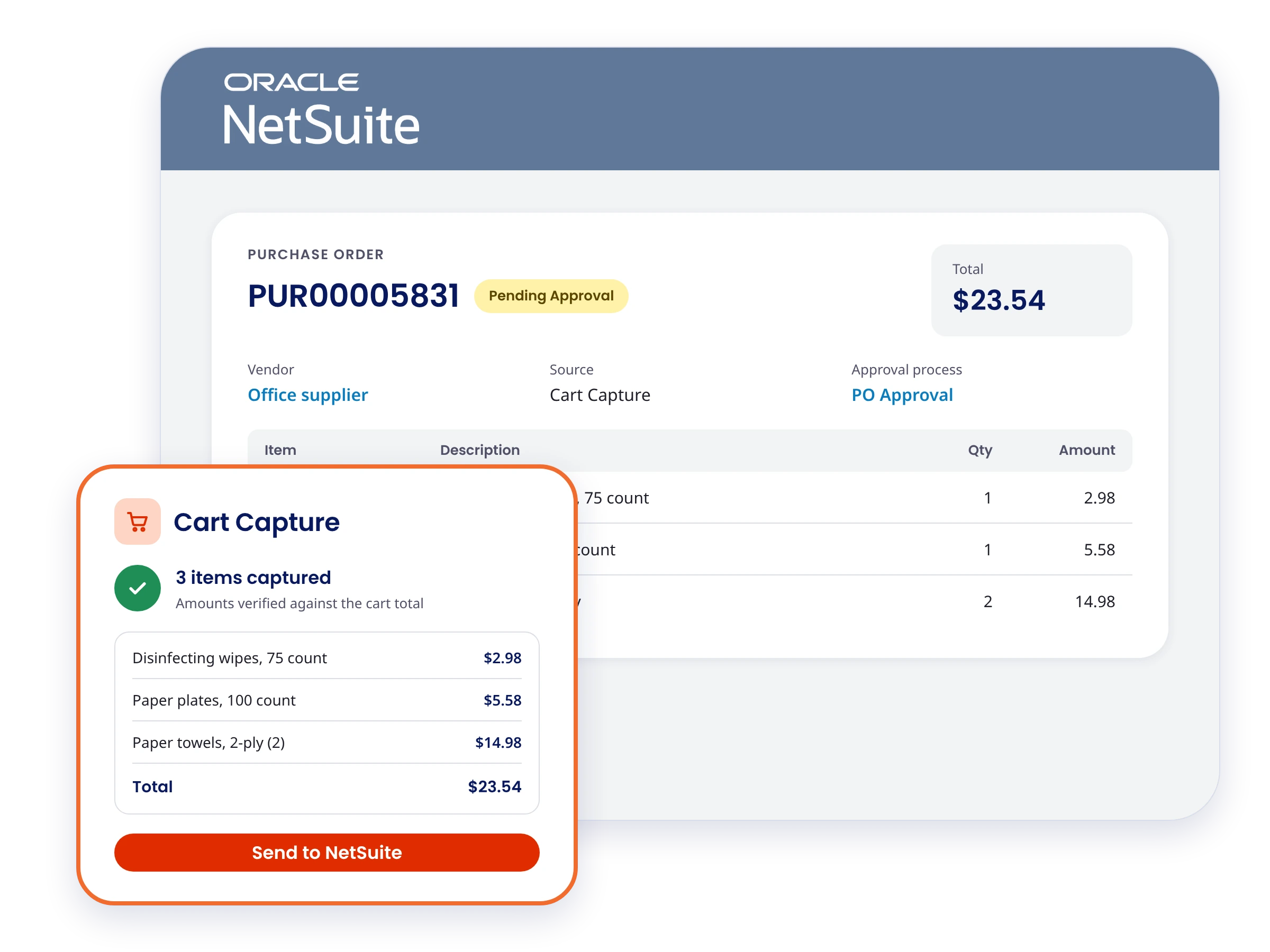
The supplier's part numbers and prices come across with the cart. Buyers don't rekey line items, and the PO matches what's in the supplier's cart.
Coded at purchase
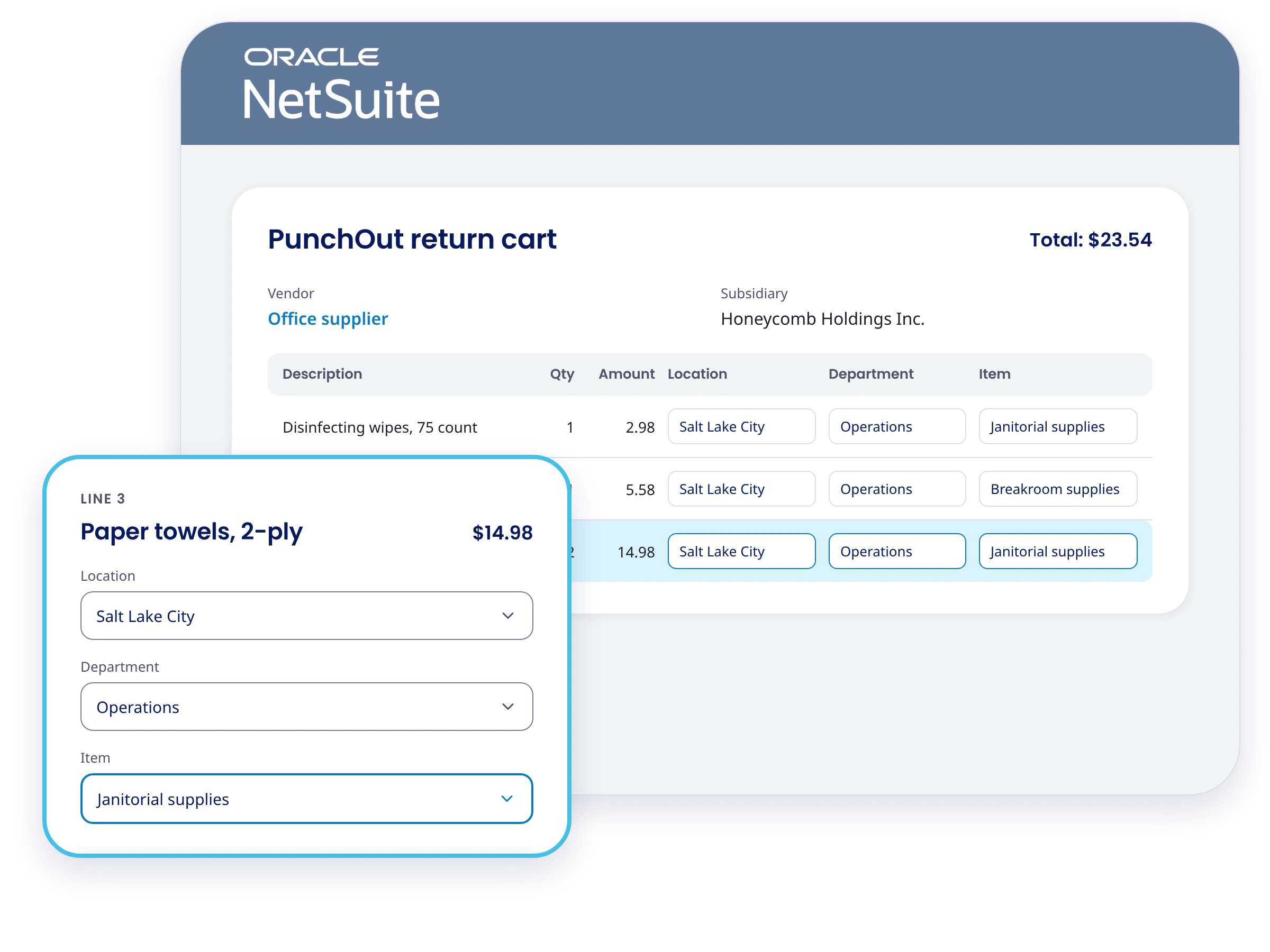
The person who made the purchase codes each line for location, department, and item. Month-end review starts from a coded PO instead of a receipt.
Works with PunchOut
Use PunchOut for suppliers with punchout catalogs and Cart Capture for everyone else. Orders from both land in the same NetSuite approval workflow.
Explore Cart Capture
Follow a buyer from a supplier's cart to an approved NetSuite purchase order in a few clicks.
Discover why thousands of accounting teams trust Netgain
98%
Customer retention rate
9 out of 10
Clients would recommend Netgain
Assurance
Through annual SOC reports
Big 4
Accounting-shaped product
Why Choose Cart Capture
Explore the features of Cart Capture

Chrome extension with NetSuite login
Buyers install Cart Capture from the Chrome Web Store and sign in to NetSuite from the extension. The NetSuite side installs as a SuiteApp.
Capture cart and send to NetSuite
Buyers fill a cart on the supplier's site as usual, then choose capture cart and send to NetSuite. The supplier tab stays open, so the cart is still there at checkout.
Return cart screen with line-level coding
Captured carts open on a return cart screen with supplier part numbers and prices filled in. Buyers set location, department, and item on each line before submitting.
Flexible item mapping
Map supplier items to NetSuite items, send every captured line to one default item, or let buyers pick the item from a dropdown. Start simple and add detail later.
Your NetSuite approval workflow
Captured carts become NetSuite purchase orders that follow the approval thresholds and approvers you already have. There’s no separate approval tool to set up.
User-level access
Admins choose which NetSuite users get Cart Capture. Most teams start with frequent buyers like office managers and lab or facilities leads.
Get every purchase on a PO
Cart Capture brings card and one-off spend into NetSuite as approved, coded purchase orders, without an integration for each supplier.
Indirect spend software FAQs
Cart Capture is a Chrome extension from Netgain that turns a shopping cart on a supplier's website into a NetSuite purchase order. It's built for suppliers that don't offer punchout, like big-box retailers and one-off online stores.
PunchOut connects to suppliers that offer a cXML punchout catalog, and it can send the approved PO to the supplier automatically. Cart Capture works on any supplier's regular website with no supplier setup. After approval, the buyer places the order with the supplier. Many teams use PunchOut for their main suppliers and Cart Capture for the rest.
The NetSuite side of Cart Capture installs as a SuiteApp, and it ships as part of Netgain's PunchOut SuiteApp. Confirm with JJ whether customers can buy Cart Capture without a PunchOut license before publishing an answer.
No. Cart Capture doesn't use cXML or a supplier integration. It works on the supplier's regular website, so there's nothing for the supplier to set up.
No. Cart Capture creates the purchase order in NetSuite and routes it for approval. Once it's approved, the buyer returns to the supplier's site, where the cart is still open, and places the order and pays as usual.
You choose. Supplier items can be created and matched to NetSuite items for line-level detail, every captured line can go to one default item, or buyers can pick an item from a dropdown on the return cart screen.
Cart Capture is a Google Chrome extension, installed from the Chrome Web Store.
For NetSuite teams, Cart Capture by Netgain handles indirect spend management at the point of purchase. Buyers shop supplier sites as usual, and every cart becomes a NetSuite purchase order that runs through your existing approvals.